Zoom In
The Zoom In tool makes the
scale smaller, so that more detail can be seen on the map. As you
zoom in, different layers may appear on the map depending on layer visibility
and scale dependency. There are multiple methods to zoom in on the
map which include, using the Zoom In tool, using the
mouse wheel, using Navigation control zoom tool, or using the keyboard. .
Zoom In Using Toolbar Tool
- Click the Zoom-In tool from the toolbar.

- Use your mouse to draw a box around your area of
interest. Hold the left mouse down as you draw the
box.
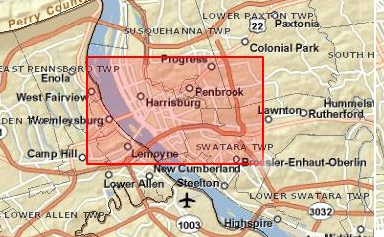
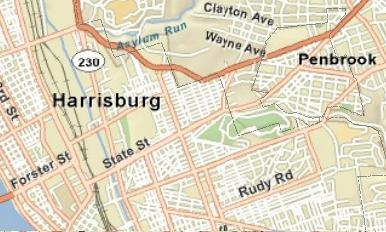
- Release the mouse button to submit your zoom
in. The map display changes to show a closer image of the
selected area, a small area with a higher level of detail.
Zoom In Using the Navigation Control
Zoom Tool
- Click the “+” sign on Navigation Control tool on the
bottom right corner of the map.

Zoom In Using Keyboard Control
The keyboard controls do not require
that the Zoom In tool is activated in order to zoom in on the map
display.
- Hold the down the Shift key and use your mouse to draw
a box around the area of interest. Hold the left mouse buttons
down as you draw your box.
Zoom In Using Mouse Scroll Wheel
The mouse scroll wheel does not
require that the Zoom In tool is activated in order to zoom in on the map
display.
- Move the mouse scroll wheel forward to zoom in.